Support / Super-Spike
 About Super-Spike
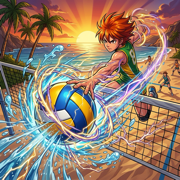
Super-Spike: Ultimate League is a fast, flashy 2v2 beach volleyball game for iPhone and iPad. Time every dig, set and spike, unleash cinematic special moves, and climb the Ultimate League across six beaches. Sunset Cove and four athletes are free; small one-time purchases add more boards and athletes. No ads, no subscriptions.
Coming soon to the App Store
Missed the ball? Something not working?
This is a one-person operation, so support means a real inbox, not a ticket queue. Here's what to try first, and how to reach me if that doesn't cover it.
How to play
A glowing ring shows where the ball is headed. Press as the ring closes to dig, set and spike. The closer your timing, the better the touch, and a PERFECT touch sends the ball screaming over the net. To serve, pick your serve, toss the ball and strike at the top.
Every good touch fills your special gauge. When it's full, unleash your athlete's special spike. When a rival unleashes theirs, a charged gauge lets you answer with a COUNTER.
New to the game? The guided tutorial teaches every button step by step, and the Arcade lesson covers moving, switching players and soft shots. Replay either one any time from Options.
Ways to play
- Basic: you dig and spike, and your partner sets you up.
- Basic Duo: you take every touch yourself: dig, set and spike.
- Arcade: run your athlete across the sand, switch players at will, aim your spikes, block at the net, and play soft shots like tips, dumps and free balls.
Match types:
- Ultimate League: win a Full Match on a board to open the next one, all the way to the trophy.
- Quick Match: a shorter game on any board you've opened.
- Practice: play with helpful tips along the way.
- Spectate: sit back and watch the computer play both sides.
Four difficulty levels, from Easy to Legendary.
Purchases
Sunset Cove and four athletes (Kai, Mila, Sol and Nova) are free. Everything else is an optional one-time purchase: no subscriptions, no ads.
- Boards: Seine Side, Copa Sol, Sahara Shore, Riptide Tempest and Aurora Fjord
- Athletes: Zane Okafor, Rex Malone, Luna Ito, Dre Okoye, Isla Moreau, Bruno Vega and Coral Kahale, each with their own special move
- Board Pack: all five boards
- Athlete Pack: all seven athletes
- Ultimate Bundle: all five boards and all seven athletes
Athletes are ready to play the moment you buy them. Boards join your League and open in order: win a Full Match on the board before it (on any difficulty) to open the next.
Purchases are handled by Apple. To get them back on a new or reset device, tap “Restore Purchases” in the Store or at the bottom of Options.
Options
- Language: English, French, Italian, German, Spanish, Brazilian Portuguese, Japanese, Korean, Traditional Chinese or Simplified Chinese. This changes the game's language only, not your device's.
- Music, Sound effects and Vibration: turn each on or off. Sound follows your Silent switch, and a game controller rumbles instead of vibrating.
- Graphics: three levels. Pick a lower one for longer battery life on older devices.
- Controls: left-handed buttons, stick sensitivity, Calibrate timing (about 15 seconds), and a reset for touch timing and controller timing.
- Tutorial: replay the tutorial or the Arcade lesson.
- Credits: music created with Gemini, sound effects created with ChatGPT.
Playing with a controller
PlayStation, Xbox, Nintendo and MFi controllers all work, and the game shows your controller's own button symbols. Pair it in your device's Settings ▸ Bluetooth, then open the game. You can switch between touch and the controller at any time.
Troubleshooting
Try these in order before emailing. Most issues clear up in the first two steps.
- Make sure you're on the latest version of Super-Spike from the App Store.
- Force-close the app and reopen it.
- Restart your device.
- Check that iOS or iPadOS itself is up to date and you have some free storage.
Reporting a bug
If it's still happening, email me with:
- Your device model (e.g. iPhone 16, iPad Air)
- Whether you were using touch or a controller (and which one)
- The board, control style and difficulty
- What you expected vs. what actually happened
- A screenshot or screen recording, if you can grab one
Frequently asked
I bought something, but it's still locked.
Tap “Restore Purchases” (in the Store, or at the bottom of Options) while signed in with the same Apple Account you bought it with. There's no charge to restore. If it still looks locked, force-close the app and reopen it.
I bought a board, but I can't play on it yet.
That's expected. Boards open in League order: win a Full Match on the board before it, on any difficulty, and it opens for every mode.
My timing feels off.
The game learns your timing as you play, separately for touch and for a controller. For a fresh start, use Options ▸ Calibrate timing. It takes about 15 seconds.
Does it need an internet connection?
No. Super-Spike plays fully offline, with no account and no login. (Buying or restoring a purchase goes through the App Store, which needs a connection just for that moment.)
Is my progress saved?
Yes. Your progress and settings are stored on your device. If iCloud is on, the boards you've opened and the tutorials you've finished also follow you to your other iPhone and iPad, through your own iCloud account.
Do I have to play in landscape?
No. Super-Spike plays in any orientation, though landscape gives you the widest view of the court.
Which devices does it run on?
Any iPhone or iPad with iOS 18 or later, including the foldable iPhone, folded or unfolded.
Can I suggest a feature or a new athlete?
Always. Email it over. Small-scope ideas are the easiest to actually act on.
Still stuck?
Reach out anytime. I read every email myself and I'll get back to you as soon as I can.
Contact
akavjahcreations@gmail.comMailing address
Akavjah Creations
PO Box 220300
Chantilly, VA 20153
United States